“
I absolutely love this app! Xcounts is definitely on my level when it comes to budgeting. It speaks my language too, which makes me feel like I personally know it. 5 stars!!!
Chris DoyleEarly tester
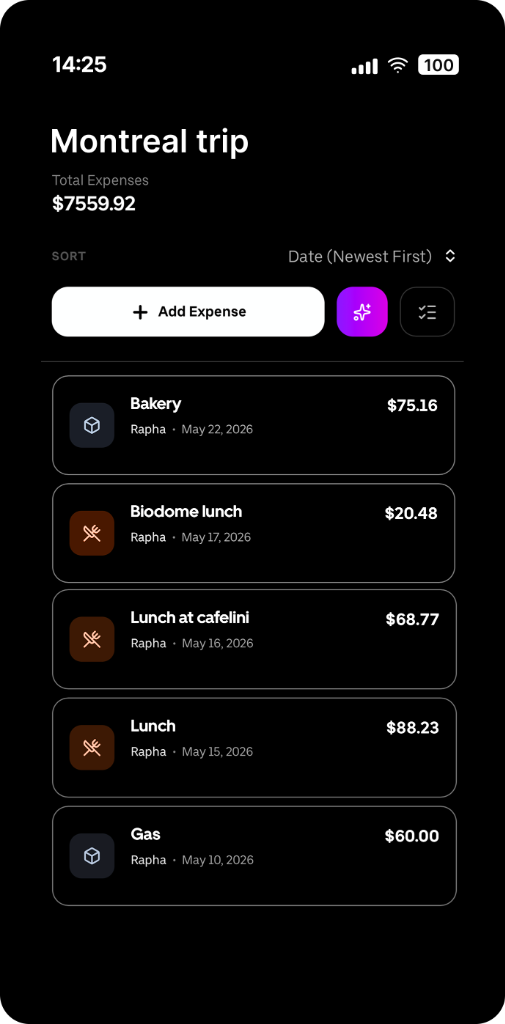
Xcounts is a free expense-splitting app for trips, roommates and couples. Snap a receipt or say what you spent — AI logs it, splits it your way, and shows who owes what so you can settle up in one tap. Works on web, iOS and Android, even offline.
I absolutely love this app! Xcounts is definitely on my level when it comes to budgeting. It speaks my language too, which makes me feel like I personally know it. 5 stars!!!
Chris DoyleEarly tester
Downloaded it for the roast, stayed for the actual savings. Xcounts keeps me honest without ever making me feel like garbage. Genuinely unreal.
Jordan LeeEarly tester
Finally, a finance app that talks like a real person instead of a spreadsheet. I hit my first savings goal in three months flat.
Maya PatelEarly tester
Switched off my old spreadsheet and never looked back. The vibes are immaculate and somehow my balance went up. Obsessed.
Ashley SmithEarly tester
Xcounts runs right in your browser — no download, no sign-up form. Open it, create a trip, and share the link with your group. The iPhone app is on the App Store; Android is in closed beta.
Xcounts is a free expense-splitting app for trips, roommates, couples and groups. You add shared costs by typing, speaking, or snapping a photo of a receipt, and Xcounts calculates exactly who owes what so everyone can settle up in one tap. It runs on the web, Android and iOS.
Yes. Xcounts is completely free — no limits, no ads and no hidden fees. You can start right now on the web at xcounts.app without creating an account.
Take a photo of any receipt, or type a sentence like “Raphael paid $45 for dinner”. Xcounts' AI extracts the amount, payer, category and date, and proposes the split for you to confirm — no manual data entry.
Yes. Xcounts supports custom split percentages per person — for example 70/30 for a couple or different shares between roommates — and remembers your defaults so every new expense is split correctly automatically.
Yes. You can add expenses with no connection — on a flight or abroad without data — and Xcounts saves everything locally, then syncs automatically the moment you're back online.
Share your trip link from the app. Friends who open it join as guests in two taps — no form and no account required — and can view and add expenses right away.